

Small Business Inventory Management: Guide For Beginners
Small business inventory management is not simply counting products on shelves. It involves organizing stock, monitoring purchases and sales, setting reorder levels, reducing waste, preventing stockouts, and maintaining accurate records. A good inventory process can also support better cash flow because the business is less likely to purchase excessive quantities of slow-moving products.
Modern inventory tools can make this process easier. For example, current platforms such as Square provide real-time stock updates, low-stock alerts, inventory reports, purchase orders, and multi-location inventory tools, while Zoho Inventory supports barcode scanning, reorder points, batch and serial tracking, purchase orders, and inventory reporting.
This detailed guide explains how small businesses can build a practical inventory system, choose the right tools, reduce inventory costs, and improve stock accuracy in 2026.
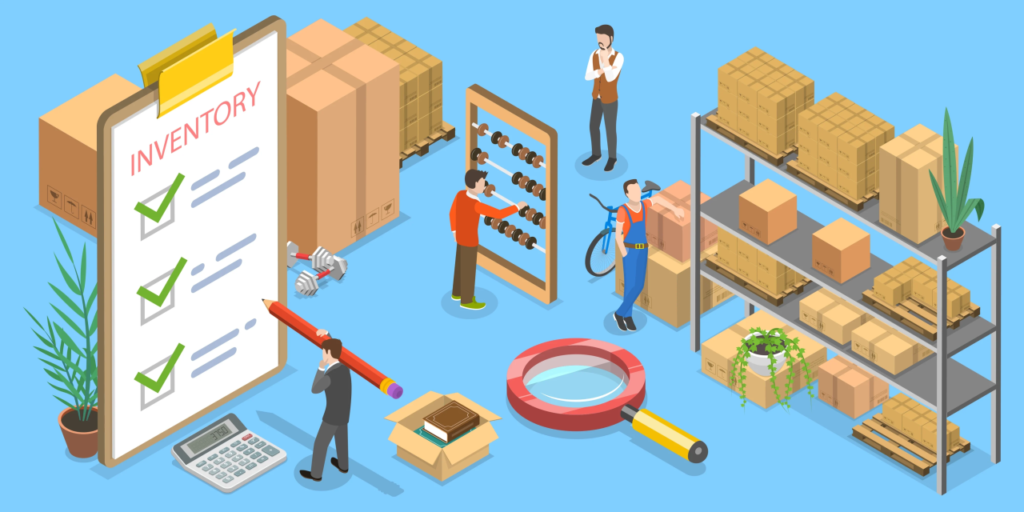
What Is Small Business Inventory Management?
Small business inventory-management is the process of purchasing, receiving, storing, tracking, selling, and replenishing products in a controlled way. Its main purpose is to maintain enough stock to meet customer demand without holding more inventory than the business can reasonably afford.
Imagine a small online clothing store with 500 products. If the owner does not know how many shirts, jackets, or jeans are available, several problems can occur. A customer may purchase an item that is actually out of stock, the owner may reorder products unnecessarily, or money may remain tied up in products that are not selling.
A structured inventory control system provides visibility into quantities, product costs, suppliers, and sales activity.
Inventory management can be performed manually with spreadsheets when a business is very small. However, as product quantities and sales channels increase, an inventory tracking system can reduce repetitive data entry and make stock information easier to maintain.
The basic inventory cycle includes:
- Purchase products from suppliers.
- Receive and count incoming inventory.
- Record stock quantities and costs.
- Store products in organized locations.
- Record sales and returns.
- Monitor stock levels.
- Reorder products when necessary.
- Review inventory performance.
Why Small Business Inventory Management Matters for Growth?
Effective small business inventory management can have a direct effect on customer satisfaction, cash flow, profitability, and operational efficiency.
One of the biggest risks is a stockout. When a popular product is unavailable, customers may delay their purchase or choose another seller. On the other hand, keeping too much inventory can tie up money that could otherwise be used for marketing, payroll, technology, or other business expenses.
A good stock management process helps owners find a practical balance.
Inventory also affects accounting. The amount of stock a business holds represents money invested in products that have not yet been sold. That makes inventory an important part of financial planning.
Current commerce platforms increasingly connect inventory data with sales and fulfillment workflows. Shopify, for example, describes inventory tracking as a way to monitor stock levels and prevent overselling, while its 2026 inventory updates emphasize connecting purchasing, receiving, selling, and returns in a single workflow.
For a growing business, accurate inventory information can help answer questions such as:
- Which products sell the fastest?
- Which products are becoming slow-moving?
- When should a product be reordered?
- How much stock should be purchased?
- Which supplier performs reliably?
- How much money is invested in inventory?
- Which products generate the best margins?
These answers can make purchasing and financial decisions more informed.
Essential Features of Small Business Inventory Management:
A practical small business inventory management system does not have to be complicated. The important thing is to create processes that keep inventory records accurate and make important information easy to access.
Product and SKU Tracking:
Every product should have a clear name, SKU, unit of measurement, supplier, purchase cost, selling price, and current quantity.
A SKU, or stock keeping unit, helps businesses distinguish between products and variants. For example, a black T-shirt in medium and a black T-shirt in large should have separate inventory records.
Good stock tracking becomes more difficult when product information is inconsistent, so creating standardized SKUs early can save time later.
Real-Time Inventory Updates:
When an item is sold, returned, purchased, or transferred, the inventory record should reflect that movement as soon as practical.
Square states that its inventory system can update stock in real time and provide low-stock alerts and inventory reporting.
Real-time updates become especially useful when a business sells through multiple locations or channels.
Low-Stock Alerts:
A low-stock notification can help prevent unexpected stockouts.
The owner can set a minimum quantity for important products. When inventory reaches that level, the system can trigger a warning.
QuickBooks Online currently supports inventory tracking, reorder points, low-stock alerts, purchase orders, and inventory reporting in its supported inventory workflows.
Barcode Scanning:
Barcode scanning can reduce manual data entry and make receiving, counting, and selling products faster.
Zoho Inventory currently supports barcode generation and scanning along with serial and batch tracking.
For businesses with hundreds or thousands of items, barcode-based workflows can be much easier than manually searching through product lists.
Purchase Order Management:
Purchase orders help businesses document what has been ordered from suppliers.
A purchase order can include:
- Supplier name
- Product name
- SKU
- Quantity
- Purchase price
- Expected delivery
- Order date
This creates a clearer connection between purchasing and inventory receiving.
Inventory Reports:
Inventory reports can show best-selling products, low-stock items, current quantities, inventory value, and other useful information.
Square offers inventory reporting and additional inventory insights such as cost of goods sold, sell-through, and aging inventory on supported plans.
How to Build a Small Business Inventory Management System?
Building a small business inventory management system starts with organizing the information you already have.
Step 1: Create a Master Product List:
Start with a spreadsheet or inventory software containing every product.
Include columns for:
- Product name
- SKU
- Category
- Supplier
- Cost
- Selling price
- Quantity on hand
- Reorder point
- Location
- Product status
This product catalog becomes the foundation of your inventory system.
Step 2: Organize Products by Category:
Create logical product categories such as clothing, electronics, office supplies, food, beauty, or home products.
Categorization makes reporting and purchasing easier.
Step 3: Set Reorder Points:
A reorder point is the inventory level at which you should place a new order.
A simple formula is:
Reorder Point = Average Daily Sales × Supplier Lead Time + Safety Stock
For example, if a business sells 10 units per day, the supplier takes 7 days to deliver, and the business wants 20 units of safety stock:
10 × 7 + 20 = 90 units
The business could use 90 units as a starting reorder point and adjust it based on real sales data.
The exact calculation should account for seasonal demand and supplier reliability. Current inventory tools from QuickBooks and Zoho include configurable reorder points and low-stock notifications.
Step 4: Establish Safety Stock:
Safety stock is extra inventory held to protect the business from unexpected demand or supplier delays.
For example, a product normally selling 10 units per day might temporarily sell 15 units per day during a holiday promotion. Safety stock provides an additional buffer.
The goal is not to keep a huge amount of backup inventory. Too much safety stock can create excess inventory costs.
Step 5: Perform Regular Stock Counts:
Even with inventory software, physical counting remains valuable.
Compare the physical quantity with the quantity shown in your system. If there is a difference, investigate the reason.
Possible causes include:
- Damaged goods
- Returns not recorded
- Incorrect sales entries
- Theft
- Receiving errors
- Data entry mistakes
Regular inventory tracking can help identify problems before they become expensive.
Small Business Inventory Management and Inventory Software:
As product counts increase, small business inventory management can become difficult to maintain manually. This is where inventory software can help.
Modern inventory software may combine product tracking, sales, purchasing, warehouse operations, reporting, barcode scanning, and reorder alerts in one system.
QuickBooks currently allows supported users to track quantity on hand, set reorder points, create purchase orders, monitor low-stock items, and use inventory-related reports.
Zoho Inventory provides purchasing, warehouse management, sales orders, barcode scanning, serial and batch tracking, reorder points, reports, and multi-location functionality.
Square combines inventory with its point-of-sale environment and offers stock tracking, low-stock alerts, purchase orders, vendor management, and multi-location inventory features.
The best choice depends on the business model. A small home-based seller may not need advanced warehouse functions, while an established retailer selling online and in physical stores may need synchronized inventory across multiple channels.
When comparing an inventory management system, consider:
- Ease of use: Employees should be able to update stock without extensive training.
- Scalability: The software should accommodate more products and orders as your business grows.
- Integrations: Look for compatibility with ecommerce platforms, POS systems, accounting software, and shipping tools.
- Reporting: Make sure the software provides the reports you actually need.
- Automation: Low-stock alerts, purchase orders, and automatic quantity updates can reduce repetitive work.

How Small Business Inventory Management Controls Costs:
Small business inventory management can improve cost control by helping businesses understand where inventory spending is going.
One important concept is inventory turnover. Inventory turnover measures how quickly stock is sold and replaced over a period.
A simple formula is:
Inventory Turnover = Cost of Goods Sold ÷ Average Inventory
A higher turnover may indicate that products are moving quickly, while a lower turnover can indicate slow-moving or excess stock. However, the right turnover level depends on the industry, product type, and business model.
Another useful concept is inventory aging. Older products can lose value, become outdated, expire, or require discounts.
Businesses should identify slow-moving inventory before buying more of the same product.
Demand forecasting can also improve purchasing decisions. Historical sales, seasonality, promotions, and supplier lead times can all be considered when estimating future inventory needs.
Shopify’s current inventory guidance emphasizes using sales data and average lead times when setting reorder points and safety margins.
Choosing the Right Inventory Management Software:
The right inventory management software should match the complexity of the business.
A small business selling 20 products may only need basic stock tracking and low-stock alerts. A company with 2,000 SKUs, multiple warehouses, and several sales channels may need barcode scanning, purchase orders, warehouse management, and real-time synchronization.
Before purchasing software, ask:
- How many products do I manage?
- Do I sell through more than one channel?
- Do I need barcode scanning?
- Do I need purchase orders?
- Do I operate multiple locations?
- Does my inventory need batch or serial tracking?
- Do I need accounting integration?
- How frequently do I need inventory reports?
- How many people need access?
Avoid paying for advanced features that your business will never use. At the same time, do not choose an extremely basic solution if you expect rapid growth.
How to Improve Stock Tracking and Warehouse Management?
Good warehouse management begins with organization.
Every product should have a defined storage location. Shelves, bins, and product areas can be labeled using SKUs or barcodes.
For businesses with larger inventories, consider separating products into:
- Fast-moving stock
- Medium-moving stock
- Slow-moving stock
- Seasonal stock
- Damaged stock
- Returned products
This makes stock management more efficient and helps employees find products faster.
Use the first-in, first-out approach where product age matters, particularly for items with expiration dates. Batch and serial tracking can also be useful for products that require traceability. Zoho Inventory currently supports batch and serial tracking, including inventory movement and expiration-related workflows.
Common Small Business Inventory Management Mistakes:
Many inventory problems are caused by inconsistent processes rather than a lack of software.
Guessing Stock Quantities:
Business owners sometimes estimate inventory instead of counting it. Even a small difference per product can become a significant problem across hundreds of SKUs.
Ordering Too Much:
Buying large quantities simply because the supplier offers a discount can create unnecessary carrying costs.
Before placing a large order, review sales velocity, inventory turnover, available cash, and expected demand.
Ignoring Slow-Moving Inventory:
Slow-moving products take up storage space and tie up capital. Create regular reports to identify items that have not sold for an extended period.
Failing to Record Returns:
Returned items can make inventory records inaccurate if they are not added back to stock correctly.
Using Different Product Names:
If the same product appears under multiple names, employees may accidentally create duplicate inventory records.
Not Setting Reorder Points:
Without a reorder point, businesses may wait until stock is almost depleted before placing an order.
Forgetting Inventory Shrinkage:
Shrinkage can result from theft, damage, administrative mistakes, or other unexplained differences between recorded and actual stock.
Best Practices for Small Business Inventory Management:
Successful small business inventory management depends on consistency.
Start by establishing a single source of truth for inventory records. Whether that is a spreadsheet, accounting platform, POS system, or dedicated inventory application, everyone should work from the same information.
Review inventory regularly rather than waiting for a problem.
Use sales history to identify best sellers and slow-moving products. Set reorder points for important items. Maintain reasonable safety stock for products with unpredictable demand. Perform cycle counts throughout the year instead of relying entirely on one annual physical count.
Another useful practice is to separate purchasing decisions from emotions. A product may have sold well in the past but may not continue selling at the same rate. Use actual sales information, seasonal patterns, supplier lead times, and customer demand to guide purchasing.
Also connect inventory data with your accounting records where appropriate. Knowing how much inventory you own is important, but understanding the financial impact of that inventory is equally important.
Key Inventory Management Metrics Every Small Business Should Monitor:
Tracking a few important inventory management metrics can help business owners see problems sooner.
Inventory Turnover
Shows how frequently inventory is sold and replaced.
Stockout Rate
Shows how frequently customers encounter unavailable products.
Carrying Cost
Estimates the cost associated with storing and maintaining inventory.
Sell-Through Rate
Shows how much available stock has been sold during a given period.
Gross Margin
Helps evaluate the profitability of products after considering product costs.
Inventory Accuracy
Compares recorded quantities with actual physical quantities.
Days Inventory Outstanding
Shows approximately how many days inventory remains before being sold, depending on the accounting calculation used.
These metrics should be interpreted together rather than individually. A very fast-selling product might still produce poor results if its profit margin is extremely low.
Small Business Inventory Management for Ecommerce Businesses:
Ecommerce businesses face an additional challenge because inventory may be sold through websites, marketplaces, social channels, and physical stores simultaneously.
A disconnected system can result in overselling. For example, if a product sells on a website but the marketplace inventory is not updated quickly, another customer may purchase an item that is no longer available.
A connected inventory tracking system can synchronize stock across sales channels.
Shopify currently supports inventory tracking by product and location, while its 2026 updates describe workflows linking purchasing, receiving, selling, and returns.
Businesses should also monitor returns, exchanges, canceled orders, damaged products, and promotional sales. These transactions can all affect inventory levels.
Call to Action: Improve Your Inventory Process Today
If your business is still managing inventory through scattered spreadsheets, notebooks, or memory, start by creating one organized inventory list.
Record every product, assign consistent SKUs, count your current stock, identify your best sellers, and set reorder points for important products. Then determine whether a dedicated inventory management system or accounting platform could automate some of your daily work.
The goal is not to build the most complicated inventory system. The goal is to build a system that gives you accurate stock information, better purchasing control, fewer stockouts, less excess inventory, and clearer financial visibility.
Closing Thoughts:
Small business inventory management is an essential business process that affects sales, customer satisfaction, cash flow, purchasing, and profitability. You do not need a complicated warehouse or an expensive system to get started. What you need is accurate product information, consistent stock tracking, clear reorder points, regular counts, and disciplined purchasing.
As a business grows, inventory software can take over repetitive tasks such as updating quantities, generating low-stock alerts, creating purchase orders, scanning barcodes, and producing inventory reports. Current tools from QuickBooks, Square, Zoho Inventory, and Shopify show how inventory management is increasingly connected with sales, purchasing, reporting, and fulfillment workflows.
The most important step is to start with accurate information and improve the process gradually. Monitor your best-selling and slow-moving products, review inventory turnover, maintain reasonable safety stock, and use real sales data when making purchasing decisions. When inventory is treated as a financial and operational asset rather than simply a collection of products, it becomes much easier to protect margins and build a healthier small business.
FAQs About Small Business Inventory Management:
What is small business inventory management?
Small business inventory management is the process of tracking products from purchasing and receiving through storage, sales, returns, and replenishment. It helps businesses maintain accurate stock levels and control inventory costs.
Why is inventory management important for a small business?
It helps prevent stockouts, reduce excess inventory, improve purchasing decisions, organize stock, and provide better visibility into money tied up in products.
What is the best inventory management software for a small business?
There is no universal choice. QuickBooks, Square, Zoho Inventory, Shopify, and other platforms offer different combinations of inventory tracking, reporting, purchasing, barcode, POS, and ecommerce features. The right option depends on the business’s products, sales channels, locations, budget, and operational requirements.
What is a reorder point in inventory management?
A reorder point is the inventory level at which a business should place a new order. It generally considers expected sales during supplier lead time plus an appropriate amount of safety stock.
How often should a small business count inventory?
There is no single schedule that works for every business. Fast-moving or high-value products may benefit from more frequent cycle counts, while slower-moving products may be counted less often. The important goal is to regularly compare physical stock with recorded quantities.
Can inventory software help prevent stockouts?
Yes. Many current inventory platforms provide low-stock alerts and configurable reorder points. QuickBooks, Square, and Zoho Inventory all document inventory features designed to help businesses identify low stock and support replenishment.
How can inventory management improve cash flow?
Better inventory control can reduce the amount of cash tied up in slow-moving or unnecessary stock. By purchasing according to demand and maintaining appropriate stock levels, a business can use available cash more efficiently.

Naeem Iqbal is the founder and lead writer at SmartWebCreator.org, a resource dedicated to helping aspiring entrepreneurs launch profitable small businesses on a budget of $1,000 or less. With a focus on practical, research-backed guidance, Naeem Iqbal researches real-world startup costs, regulatory requirements, and growth strategies across dozens of low-investment business models — from food service to home-based ventures.
Every guide on SmartWebCreator.org is written to help beginners avoid costly mistakes, understand legal requirements, and build a realistic path from idea to income — without needing a large upfront investment.
📧 Contact: webcreator2474@gmail.com
🌐 Website: smartwebcreator.org



Pingback: Small Online Business Ideas
Pingback: Small Business Competitive Intelligence Services