Best Punch Clocks for Small Business: 9 Options to Compare
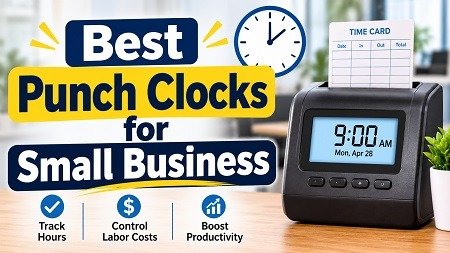
A punch clock records when an employee starts and ends work. The classic version stamped a paper card. Today the term covers four common setups: Best Punch Clocks for Small Business
- Mechanical or card punch clocks that stamp paper cards
- Electronic card or badge clocks that store punches digitally
- Biometric clocks that use a fingerprint or face scan
- Time clock apps that use a phone, tablet, or web browser, often with GPS
Each method records hours. The difference is cost, accuracy, and how easily the data flows into payroll.

Why Use a Time Clock: Payroll Accuracy and Fewer Disputes: Best Punch Clocks for Small Business
Small businesses adopt a time clock for a few practical reasons:
- Payroll accuracy. Digital punches remove manual math and handwriting errors.
- Fewer disputes. A timestamped record settles “I was here at 8:00” arguments.
- Compliance support. The Fair Labor Standards Act (FLSA) requires employers to keep records of hours worked for covered employees. It does not require a specific tool, but a clock makes records easier to keep.
- Time savings. Many systems export hours directly to payroll software.
- Less time theft. Biometrics and GPS limit “buddy punching,” where one person clocks in for another.
The downsides: hardware costs money, apps need reliable phones or Wi-Fi, and biometric data raises privacy rules in some states.
Quick Answer: Best Punch Clocks for Small Business at a Glance
| Topic | What to know |
|---|---|
| Best for tight budgets | Free app plans (Clockify, Homebase, Connecteam) |
| Best for mobile or field teams | Time clock apps with GPS |
| Best for one fixed location | Biometric or electronic card clock |
| Best for scheduling plus time | Homebase, When I Work, Connecteam |
| Best for QuickBooks users | QuickBooks Time |
| Typical app cost | About $0 to $10 per user per month |
| Typical hardware cost | About $100 to $700 or more |
| Best first step | List your headcount, locations, and payroll tool |
| Biggest risk | Buying hardware that doesn’t connect to your payroll |
How to Choose a Punch Clock: Score Your Options Before You Buy: Best Punch Clocks for Small Business
A good fit beats a feature-heavy tool. Score each option from 1 to 5:
| Question | Score |
|---|---|
| Does it fit my team’s work style (on-site, remote, mobile)? | |
| Does it export to my payroll software? | |
| Is the total cost clear, including setup and per-user fees? | |
| Can it limit buddy punching? | |
| Is it easy for non-technical staff to use? | |
| Does it handle breaks, overtime, and PTO? | |
| Does it work with my state’s privacy and wage rules? | |
| Total (out of 35) |
Aim for 25 or more. Before you commit, ask each vendor for a free trial, and check what similar businesses say in recent reviews.
Types of Punch Clocks Compared: Mechanical, Card, Biometric, App
| Type | Typical upfront cost | Best for | Main drawback |
|---|---|---|---|
| Mechanical card clock | Low | Very small, single-site teams | Manual math, easy to falsify |
| Electronic card/badge | Low to medium | Small shops, warehouses | Cards can be shared or lost |
| Biometric (fingerprint/face) | Medium to high | Sites with buddy-punching issues | Privacy rules and upfront cost |
| Time clock app | Often $0 upfront | Mobile, remote, multi-site teams | Needs phones, internet, and policy |
Best Punch Clocks for Small Business by Type: 9 Options
These are example options to compare, not rankings or guarantees. Plans and features change, so verify details on each vendor’s site.
Time Clock Apps for Small Business: Best Punch Clocks for Small Business
1. Homebase. A popular choice for hourly teams and a strong option in free market research tools for startups. It combines time tracking, scheduling, and team messaging, and has historically offered a free plan for small teams. Good for owners who want scheduling and time in one place.
2. Clockify. A simple timesheet and time-tracking tool known for its generous free tier. It suits service businesses and agencies that track hours by project as well as by shift. Paid plans add features such as approvals and reports.
3. Connecteam. A mobile-first app for teams that work away from a desk. It includes time clock, scheduling, and task tools, and has offered a free plan for very small teams. Good for field crews and cleaning or maintenance businesses.
4. QuickBooks Time. A natural fit if you already use QuickBooks for payroll or accounting. It offers GPS tracking and syncs hours with QuickBooks. Check current pricing, because it is usually per user plus a base fee.
5. When I Work. Focused on scheduling with built-in time clock features. It works well for shift-based businesses that change schedules often.
Hardware Time Clocks for a Fixed Location:
6. uAttend biometric clocks (such as the BN6500). A fingerprint-based option paired with a cloud service. Fingerprints help reduce buddy punching, but you must handle consent and privacy rules.
7. Pyramid TimeTrax series. Digital clocks aimed at small businesses that want a dedicated punch station. They are known for straightforward setup and are often used with card or badge punches.
8. Acroprint ATR480. A long-running electronic time clock that stores punches and prints reports. It suits small teams that want a physical device without a monthly app fee.
9. Lathem PC700. A badge- or card-based electronic clock for small shops. It is a simple, low-maintenance option when you don’t need cloud features.
Which Time Clock Fits Which Business?
| Business type | Likely best fit | Why |
|---|---|---|
| Restaurant or cafe | Homebase, When I Work | Shift scheduling plus time tracking |
| Cleaning or field service | Connecteam, QuickBooks Time | GPS and mobile punches |
| Small warehouse or shop | Electronic card or biometric clock | Fixed punch station |
| Agency or consultancy | Clockify | Project-based time tracking |
| Medical or dental office | App or card clock with strong privacy controls | Staff are on-site; records matter |
Punch Clock Costs: A Realistic Budget: how to estimate business startup costs.
Published prices vary by plan, user count, and billing cycle. Here are two sample budgets for a 10-employee business.
Lean Budget: About $0 to $300 in year one
| Item | Estimated cost |
|---|---|
| Free time clock app plan | $0 |
| Existing tablet or phones | $0 |
| Printed clock-in policy | $20 |
| Optional wall mount for a tablet | $50 |
| Cash buffer for paid upgrade | $230 |
| Total | About $300 |
Recommended Budget: About $1,500 in year one
| Item | Estimated cost |
|---|---|
| Paid app plan (10 users, example $4 each per month) | $480 |
| Dedicated tablet and stand | $300 |
| Optional biometric or card terminal | $400 |
| Payroll integration or setup help | $150 |
| Employee training and policy writing | $70 |
| Cash buffer | $100 |
| Total | About $1,500 |
For help with your own figures, use our guide on how to estimate business startup costs.
How Much Can a Time Clock Save? A Planning Example
Time theft and rounding errors are small per person but add up. Hypothetical example: Ten employees each add 5 minutes of unearned time per shift, five days a week. That is 250 minutes, or about 4.2 hours, per week. At $18 an hour, that is roughly $75 a week, or about $3,900 a year.
Many owners also save admin time. If you spend two hours per pay period fixing handwritten timesheets, a digital clock may cut that significantly. Treat these as rough examples. Your results depend on your team, policies, and how well you enforce them.
Break-even example: If a system costs $1,200 in year one and prevents about $100 a week in errors and time theft, you recover the cost in about 12 weeks, before considering admin savings.
Legal Basics: FLSA Recordkeeping, Biometrics, and Rounding
Recordkeeping. Under the FLSA, employers must keep accurate time and pay records for covered, non-exempt employees. The Department of Labor says no particular method is required, and records must be kept for set periods. Check the DOL’s recordkeeping fact sheet and your state rules.
Biometric privacy. Some states, including Illinois, Texas, and Washington, regulate how you collect and store fingerprints or face scans. Illinois’s law is known for requiring written consent and carrying large penalties. If you choose biometrics, get legal advice first.
Rounding. Federal rules allow some rounding if it averages out fairly over time, but states differ. Don’t round in a way that always favors the employer.
Meal and rest breaks. Many states set their own break rules. Make sure your system records breaks the way your state requires.
Location tracking. If you use GPS punches, tell employees what is tracked and when. Limit tracking to work hours. small business liability insurance
This is general information, not legal advice. Check with a qualified professional for your state.
How to Set Up a Punch Clock in Your Small Business: Best Punch Clocks for Small Business
- List your needs. Headcount, locations, payroll tool, and overtime rules.
- Shortlist two or three options. Use the scorecard above.
- Run a free trial with a few employees for one pay period.
- Write a clock-in policy. Cover grace periods, breaks, missed punches, and corrections.
- Connect payroll. Test an export before the first live pay run.
- Train your team. Show them how to punch, fix errors, and request edits.
- Review reports weekly. Look for missed punches and overtime early.
- Audit once a quarter. Make sure settings still match your policy and state rules.
Time Clock Examples: Best Punch Clocks for Small Business
These are simplified examples.
Example 1: Coffee Shop With 12 Staff. Maria uses a free app plan on a counter tablet. Staff clock in with a PIN, and she exports hours to payroll. She upgrades after six months for overtime alerts.
Lesson: Start free, then upgrade when you outgrow it.
Example 2: Cleaning Company With Mobile Crews. James needs punches from client sites. He uses an app with GPS and photo punches, and checks location logs only when a client questions hours.
Lesson: Mobile teams need mobile punches.
Example 3: Small Warehouse With 20 Staff. Priya has repeated buddy-punching problems. After legal review and written consent, she installs a biometric terminal and keeps a badge backup.
Lesson: Hardware solves specific problems, but it comes with privacy duties.
Common Time Clock Mistakes to Avoid
- Buying hardware that doesn’t integrate with payroll
- Skipping a written clock-in policy
- Rounding time in a way that favors only the employer
- Collecting biometric data without checking state law
- Letting managers edit punches without a record
- Ignoring missed punches until payday
- Choosing on price alone, without a trial
- Forgetting break and overtime rules
- Tracking GPS outside work hours
- Not backing up or exporting records
Final Thoughts
Choosing among the best punch clocks for small business comes down to a few decisions. Match the tool to how your team works, confirm it connects to payroll, understand state privacy and wage rules, and write a simple clock-in policy. You don’t need expensive hardware to start, but you do need accurate records and clear rules. Start small, test for one pay period, and upgrade only when you have a real reason.
Take Action Today
Take three steps this week. Score two or three options with the scorecard above, check that each one exports to your payroll tool, and start a free trial with a few employees. Then write a one-page clock-in policy. Save this guide so you can return to the checklists.
Experience and Expertise
Why you can trust this guide: I’ve been writing about business, personal finance, and self-improvement for three years, and I run Smart Web Creator, a site focused on practical ways to run a small business on a budget. I build these guides from vendor pricing pages, product documentation, and official US Department of Labor resources, and I flag where prices and rules differ. This guide is for general education and is not legal, tax, or financial advice.
Sources and Further Reading
- U.S. Department of Labor, Fact Sheet #21: Recordkeeping Requirements under the FLSA
- U.S. Department of Labor, Fact Sheet #22: Hours Worked Under the FLSA
- Homebase, Pricing and Time Clock Features
- Clockify, Pricing and Time Tracking Features
- Connecteam, Time Clock Features
- QuickBooks Time, Time Tracking Features and Pricing
- uAttend, Biometric Time Clock Products
- Illinois General Assembly, Biometric Information Privacy Act (BIPA)
Transparency Note
This article is for general information only. I have no financial relationship with any vendor or product mentioned.
How this guide was prepared
This guide is US-focused and based on 2026 vendor pricing pages, product documentation, and US Department of Labor recordkeeping guidance, checked in November 2026. Features, plans, and prices change quickly, so confirm them on each vendor’s site. Some states regulate how you collect biometric data and how you round time. All numbers are planning examples, not guarantees. This article is for general education and is not legal, tax, or financial advice.
Frequently Asked Questions
What are the best punch clocks for small business?
Free or low-cost apps like Homebase, Clockify, and Connecteam suit many teams. Electronic or biometric hardware fits fixed sites. The best choice matches your team and payroll tool.
Are punch clocks legally required?
Not by themselves. The FLSA requires accurate records of hours worked, but it doesn’t require a specific device.
How much does a time clock cost?
Apps often range from free to about $10 per user per month. Hardware ranges from roughly $100 to $700 or more.
Is a time clock app better than a physical clock?
Apps suit mobile or multi-site teams. Physical clocks suit one fixed location where phones are discouraged.
Is biometric time tracking legal?
Often yes, but some states have strict consent and storage rules. Get legal advice first.
Can employees clock in from home?
Yes, with an app. Set clear rules for remote punches.
What is buddy punching?
When one employee clocks in for another. Biometrics, PINs with photos, and GPS can reduce it.
Do time clocks work with payroll software?
Many do. Always confirm your payroll tool is supported before buying.
How long should I keep time records?
Federal rules set minimum periods, and states may require longer. Check the DOL’s guidance and your state law.

Naeem Iqbal is the founder and lead writer at SmartWebCreator.org, a resource dedicated to helping aspiring entrepreneurs launch profitable small businesses on a budget of $1,000 or less. With a focus on practical, research-backed guidance, Naeem Iqbal researches real-world startup costs, regulatory requirements, and growth strategies across dozens of low-investment business models — from food service to home-based ventures.
Every guide on SmartWebCreator.org is written to help beginners avoid costly mistakes, understand legal requirements, and build a realistic path from idea to income — without needing a large upfront investment.
📧 Contact: webcreator2474@gmail.com
🌐 Website: smartwebcreator.org