
Time Clock Apps For Restaurants In The USA: 10 Best Options
Time clock apps for restaurants in the USA help owners track hours, breaks, tips, and overtime without paper timesheets or guesswork. In a busy kitchen, even small timekeeping errors can lead to payroll mistakes, overtime surprises, and unhappy staff. The right app lets employees clock in from a phone or POS terminal, sends approved hours to payroll, and keeps clear records if questions come up. In this guide, you will compare ten options, learn which features matter most, see what to budget, and understand the basic wage-and-hour rules to follow before you choose.
What Is a Time Clock App for Restaurants? Time Clock Apps for Restaurants
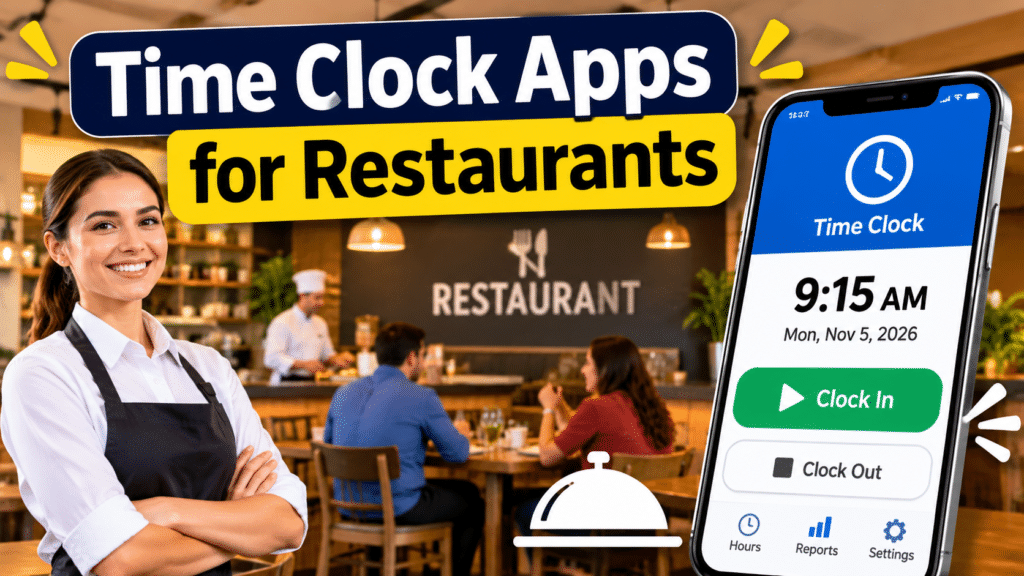
A restaurant time clock app records when employees start and end shifts and breaks. Staff clock in on a phone, tablet, or POS terminal instead of a paper sheet or punch card. The app then calculates hours and overtime and, in many cases, sends the data to payroll.
Restaurants have needs that a basic office timer does not cover:
- Split shifts and double shifts
- Tipped employees, tip pooling, and cash tips
- Different pay rates for different roles (server, cook, host)
- Required or paid breaks that vary by state
- High turnover and many part-time and minor employees
- Last-minute shift swaps and call-outs
Why Restaurants Switch From Paper to a Time Clock App
- Fewer payroll errors. Hours are calculated automatically instead of by hand.
- Less buddy punching. Photo capture, PIN codes, or geofencing make it harder to clock in for a friend.
- Overtime control. Alerts warn you before an employee crosses the overtime line.
- Better records. Digital timesheets are easier to store and produce if there is a wage claim or audit.
- Faster payroll. Approved hours can flow straight to your payroll provider.
The downsides are real too: staff needs training, phones and Wi-Fi must work, and cheap plans may lock key features behind higher tiers.
Quick Answer: Restaurant Time Clock Apps at a Glance
| Topic | What to know |
|---|---|
| Typical cost | Free tiers to per-employee monthly fees; verify current pricing |
| Best first step | List your must-have features before you compare apps |
| Clock-in methods | Mobile app, tablet kiosk, POS, PIN, photo, geofence |
| Must-have features | Breaks, overtime alerts, tip tracking, role-based pay rates |
| Key integrations | POS, scheduling, payroll |
| Legal risk | Rounding, unpaid off-the-clock work, break rules, record-keeping |
| Biggest risk | Choosing a tool that doesn’t match your POS or payroll |
How to Choose a Time Clock App: Score Your Options Before You Buy
Score each app from 1 to 5:
| Question | Score |
|---|---|
| Does it work with my POS and payroll provider? | |
| Can staff clock in easily on a phone or kiosk? | |
| Does it handle tips, breaks, and multiple pay rates? | |
| Does it warn me about overtime before it happens? | |
| Is scheduling included or easy to connect? | |
| Is pricing clear, and does it fit my headcount? | |
| Is support fast during busy service hours? | |
| Total (out of 35) |
Aim for 25 or more. Run a free trial with a small team before rolling it out to everyone. If you’re still planning your restaurant budget, see our guide on estimating business startup costs.
10 Time Clock Apps for Restaurants in the USA:
Features and plans change often. Treat this list as a starting point and confirm details on each vendor’s site.
1. Homebase: Time Clock Apps for Restaurants
A popular choice for small, independent restaurants. It combines time tracking, scheduling, and team messaging, and has historically offered a free plan for basic use. Good for owners who want one simple tool.
2. 7shifts: Time Clock Apps for Restaurants
Built specifically for restaurants. Known for scheduling, labor-cost tracking, tip pooling, and integrations with many POS systems. A strong fit if scheduling is your biggest headache.
3. Toast (Toast Payroll and Team Management)
If you already run Toast as your POS, its built-in time clock, scheduling, and payroll tools keep everything in one place. Less compelling if you use a different POS.
4. Square (Square Payroll and Team Management)
A natural choice for restaurants on Square POS. Staff can clock in at the register, and timecards can feed Square Payroll. Check which features require a paid plan.
5. Deputy: Time Clock Apps for Restaurants
A flexible scheduling and time-tracking platform used across hospitality and retail. Offers break and compliance settings and works well for multi-location groups.
6. When I Work
Simple scheduling and time clock tools with mobile access. A good fit for owners with part-time, shift-based teams who swap shifts often.
7. Clover (Employee Management)
For restaurants running Clover POS, time clock and scheduling add-ons let staff clock in on the same device they already use.
8. Connecteam
Combines time tracking, scheduling, task lists, and internal communication. Helpful if you want checklists and training in the same app.
9. Sling
A scheduling-first tool with time clock features and labor cost tracking. Often considered by small teams that mainly need shifts and basic hours.
10. QuickBooks Time
Best for restaurants that already use QuickBooks for accounting. Timesheets can flow into payroll, job tracking, and location tracking.
Features Every Restaurant Time Clock App Should Have
- Role-based pay rates. One employee may work as a server and a bartender at different rates.
- Break tracking. Paid and unpaid breaks, with reminders where your state requires them.
- Overtime alerts. Warnings before an employee passes 40 hours, or the daily limit in states that require it.
- Tip handling. Credit card tips, cash tips declared, and tip pooling where allowed.
- Clock-in controls. PIN, photo, or geofence to reduce buddy punching, and a limit on early clock-ins.
- Manager approval and edits with an audit trail. Every change should be logged.
- Integrations. POS, payroll, and accounting.
- Offline mode or reliable sync. Restaurants don’t always have perfect Wi-Fi.
- Exportable reports. You should be able to download timesheets if you ever switch tools.
Time Clock App Costs: What to Budget: Time Clock Apps for Restaurants
Pricing models vary. Some tools charge per employee per month, some charge per location, and some bundle time tracking into a POS or payroll subscription. A free tier may cover basic time clock use, while scheduling, payroll, and advanced reporting often cost extra. Always confirm current prices on the vendor’s website.
Hypothetical example (for planning only): A restaurant has 20 employees. If an app charges a per-employee fee, multiply that fee by 20 and add any base location fee. Compare that total to the cost of payroll errors and overtime you would avoid. If the tool saves two hours of manual timesheet work per week and you value that time at $25 an hour, that is about $200 a month in saved time, before counting fewer errors.
Hidden costs to ask about: payroll add-on fees, tablet or kiosk hardware, setup or onboarding fees, and extra charges for additional locations.
Legal Basics: Wage-and-Hour Rules for Restaurant Timekeeping
A time clock app helps you keep records, but it doesn’t make you compliant by itself.
- Federal law (FLSA). Non-exempt employees generally must be paid at least the minimum wage and overtime for hours over 40 in a workweek. Employers must keep accurate time and pay records.
- State and local rules. Some states require daily overtime, meal and rest breaks, or higher minimum wages. Some cities have predictive scheduling laws that require advance notice of schedules.
- Tipped employees. Tip credit rules, tip pooling, and who may share in tips differ by state. Be careful about managers and tip pools.
- Rounding. If you round punches, the policy must be neutral and not consistently favor the employer.
- Off-the-clock work. Employees shouldn’t prep, close, or clean without being paid for it.
- Minors. Workers under 18 face limits on hours and tasks that vary by age and state.
- Record retention. Keep payroll and timecard records for the period required by federal and state law.
Check the U.S. Department of Labor wage-and-hour pages and your state labor department. If you are unsure whether you need a separate business entity for your restaurant, read our guide on whether you need an LLC for a small business. Employment practices liability can also matter, and our guide on small business liability insurance explains what to ask about.
How to Roll Out a Time Clock App in Your Restaurant:
- List your needs. POS, payroll provider, number of staff, and locations.
- Shortlist two or three apps and score them with the table above.
- Start a free trial with a few trusted employees.
- Set your rules in writing: when staff may clock in, how breaks work, and how missed punches are corrected.
- Set up pay rates, roles, and overtime rules carefully, then test a sample pay period.
- Train every shift. Show new hires how to clock in on day one.
- Review reports weekly for missed punches, early clock-ins, and overtime risk.
- Keep a backup plan for outages, such as a manual timesheet.
Need extra help with scheduling or admin during the transition? See our guide on virtual assistant jobs with no experience for ideas on affordable support.
Restaurant Time Clock Examples: 3 Hypothetical Scenarios
These are simplified examples.
Example 1: Single-location cafe. A cafe with 12 staff uses a free-tier app on a counter tablet. Staff clock in with PINs, and the owner exports hours to payroll each week. Lesson: Start simple if your needs are basic.
Example 2: Busy full-service restaurant on Toast. The owner uses the POS-based time clock so servers clock in at the terminal. Tip data and hours sit in one system. Lesson: Using your POS vendor’s tool can reduce integration headaches.
Example 3: Small restaurant group. Three locations use a scheduling-focused app with overtime alerts and labor-cost reports. Managers see costs by location. Lesson: Multi-location teams need reporting and manager permissions.
Common Time Clock Mistakes to Avoid
- Choosing an app that doesn’t connect to your POS or payroll
- Letting staff clock in from anywhere with no controls
- Rounding punches in a way that favors the business
- Letting managers edit time without an audit trail
- Ignoring state break and overtime rules
- Skipping staff training
- Not checking total cost after add-ons
- Having no backup for outages
- Forgetting to review timesheets before payroll
- Not exporting your data before switching tools
Final Thoughts: Time Clock Apps for Restaurants
Picking among time clock apps for restaurants in the USA comes down to a few decisions: match the app to your POS and payroll, make sure it handles tips, breaks, and overtime, price it with add-ons included, and set clear written timekeeping rules. A good app reduces errors, but you still need to follow federal, state, and local labor laws.
Start with a free trial, test a full pay period, and review your reports every week.
Take Action Today: Time Clock Apps for Restaurants
This week, list your POS and payroll tools, score three time clock apps with the table above, and start a free trial with a small team. Then write a one-page timekeeping policy covering clock-in rules, breaks, and missed punches. Save this guide so you can return to the checklists.
Why You Can Trust This Guide
I have been writing about business, personal finance, and self-improvement for three years, and I run Smart Web Creator, a site focused on practical ways to start and run a small business on a budget. I build these guides from vendor information, official labor resources, and restaurant operations guides, and I flag where costs and rules differ. This guide is for general education and is not legal, tax, or financial advice.
Sources and Further Reading
-
- U.S. Department of Labor, Wage and Hour Division: Fact Sheet #2, Restaurants and Fast Food Establishments
- U.S. Department of Labor: Fact Sheet #21, Recordkeeping Requirements under the FLSA
- U.S. Department of Labor: Fact Sheet #15, Tipped Employees under the FLSA
- U.S. Department of Labor: Fact Sheet #22, Hours Worked under the FLSA
- Vendor pages: Homebase, 7shifts, Toast, Square, Deputy, When I Work, Clover, Connecteam, Sling, QuickBooks Time
Transparency Note
This article is for general information only. I have no financial relationship with any vendor mentioned.
About the Author
Naeem Iqbal is a blogger and content writer with three years of experience writing about business, personal finance, and self-improvement. He turns practical small business ideas into clear, step-by-step guides for people starting on a small budget.
Frequently Asked Questions
What is the best time clock app for a small restaurant?
It depends on your POS and payroll. Homebase, 7shifts, and your POS vendor’s built-in tools are common starting points.
Are there free time clock apps for restaurants?
Some vendors offer free tiers with limited features. Confirm what’s included and what costs extra.
Can employees clock in from their phones?
Yes, with most apps. Many restaurants prefer a tablet kiosk or geofence to reduce misuse.
How do time clock apps handle tips?
Many let employees declare tips or import tips from the POS. Tip pooling rules vary by state, so verify before you configure it.
How do I prevent buddy punching?
Use photo capture, individual PINs, geofencing, and manager review.
Do I have to round time punches?
No. If you do, use a neutral policy and consider legal advice.
How long must I keep time records?
Requirements vary by federal and state law. Check with the Department of Labor and your state agency.
Do time clock apps integrate with payroll?
Most major ones do, but check your specific payroll provider.
Can I switch apps later?
Yes, but export your timesheets first and run both systems briefly during the change.
Is a time clock app worth it?
For most restaurants with hourly staff, fewer errors and better overtime control justify the cost, but results depend on your setup.

Naeem Iqbal is the founder and lead writer at SmartWebCreator.org, a resource dedicated to helping aspiring entrepreneurs launch profitable small businesses on a budget of $1,000 or less. With a focus on practical, research-backed guidance, Naeem Iqbal researches real-world startup costs, regulatory requirements, and growth strategies across dozens of low-investment business models — from food service to home-based ventures.
Every guide on SmartWebCreator.org is written to help beginners avoid costly mistakes, understand legal requirements, and build a realistic path from idea to income — without needing a large upfront investment.
📧 Contact: webcreator2474@gmail.com
🌐 Website: smartwebcreator.org