
Best Free Budget Templates for Business: Complete Guide
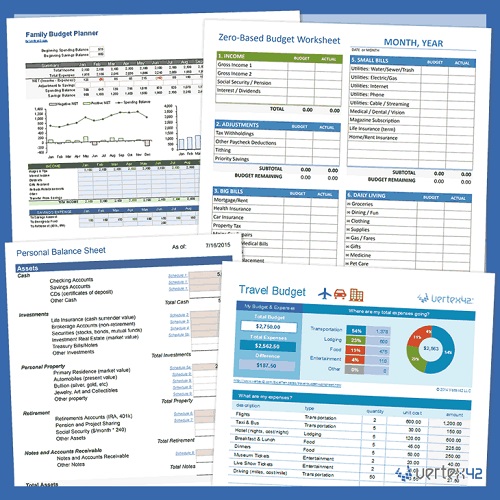
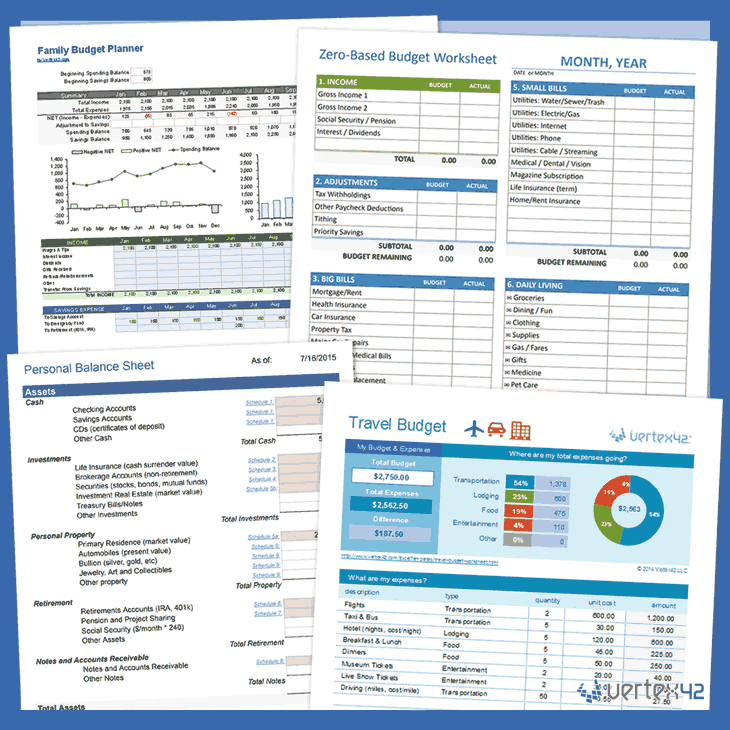
Finding the Best Free Budget Templates for Business can make financial planning much easier for entrepreneurs, freelancers, startups, and established small businesses. A well-designed budget template gives you a structured way to record income, organize expenses, compare planned spending with actual results, and understand whether your business is moving toward its financial goals.
Many business owners know they should create a budget but do not know where to start. Building a spreadsheet from a blank page can feel complicated, especially when you need to account for revenue, payroll, marketing, inventory, software, taxes, insurance, debt, and unexpected costs. A ready-made business budget template solves much of this problem by providing a framework that you can customize.
Free options are available in several formats, including Microsoft Excel, Google Sheets, downloadable spreadsheets, and printable templates. Microsoft currently provides free customizable templates that include business expense and annual budget options, while Smartsheet offers free small-business budget templates designed for income, expenses, cash flow, and projected-versus-actual comparisons.
Why the Best Free Budget Templates for Business Are Important
The Best Free Budget Templates for Business do more than organize numbers. They turn financial information into something you can use when making decisions.
- A budget can help you answer questions such as:
- How much revenue do I need each month?
- Which expenses are growing too quickly?
- Can I afford to hire someone?
- How much should I allocate to marketing?
- Will I have enough cash for upcoming bills?
- Which products or services are generating the strongest margins?
A good small business budget can also help you avoid relying on guesswork. Instead of looking at your bank balance and assuming everything is fine, you can compare expected income and expenses against actual performance.
Budgeting is particularly useful when your revenue changes from month to month. A seasonal business, for example, may need to save during strong months to cover slower periods. A startup may need to carefully control expenses while revenue is still developing.
A template creates consistency, which is one of its biggest advantages. You do not have to reinvent your financial tracking system every month.
The Best Free Budget Templates for Business: Types You Should Know
Before choosing among the Best Free Budget Templates for Business, it helps to understand the different types available.
Monthly Business Budget Template:
A monthly business budget lets you plan income and expenses for each month. It is a useful starting point for freelancers, home-based businesses, agencies, online stores, and local businesses.
Typical categories include revenue, payroll, marketing, rent, utilities, software, supplies, insurance, taxes, and miscellaneous expenses.
Annual Business Budget Template:
An annual business budget template provides a 12-month overview. It is useful for identifying seasonal patterns, setting annual revenue goals, and planning major investments.
Microsoft currently provides free budget templates including a simple annual budget and business expense budget, making Excel a practical option for entrepreneurs who want a familiar spreadsheet format.
Cash Flow Budget Template:
A cash flow budget focuses on when money enters and leaves your business. This can be particularly important when customers pay invoices after 30, 60, or 90 days.
Business Expense Template:
An expense budget template focuses primarily on controlling costs. It can help identify recurring subscriptions, supplies, software, payroll expenses, advertising costs, and other operating expenses.
Profit and Loss Template:
A profit and loss statement template helps you compare revenue with expenses to estimate profit or loss. SCORE currently offers a free 12-month P&L projection template covering projected income and expenses month by month.
How to Choose the Best Free Budget Templates for Business:
The Best Free Budget Templates for Business are not necessarily the ones with the most rows, formulas, or colorful dashboards. The best template is one that fits your business and is simple enough to maintain.
Look for a template that includes the categories you actually need. If you operate a service business, you may care more about payroll, contractors, software, marketing, and client revenue. If you run an ecommerce business, inventory, shipping, payment-processing fees, and product costs may deserve more attention.
Check whether the template allows you to compare budget vs actual spending. This feature is extremely useful because a budget is only valuable when you compare your expectations with what actually happened.
You should also consider customization. Your expenses will not perfectly match a generic template, so you should be able to add or remove categories.
Ease of use matters as well. A complicated financial spreadsheet that you stop updating is less useful than a basic spreadsheet you maintain every week.
Best Free Budget Templates for Business in Excel:
Excel remains one of the most practical choices for business budgeting templates because it is familiar, flexible, and capable of handling formulas, charts, and financial analysis.
Microsoft’s current free Excel template collection includes budget planning options as well as business-specific templates such as a business expense budget and simple annual budget.
Business Expense Budget Template:
This format is ideal when your main goal is controlling operating costs. You can create categories such as:
- Rent and utilities
- Payroll
- Advertising
- Software
- Insurance
- Office supplies
- Travel
- Professional services
- Shipping
- Taxes
A business expense tracker can then record budgeted amounts alongside actual spending.
Annual Business Budget Template:
An annual template gives you a broader financial view. It can show monthly income, monthly expenses, and expected annual totals.
This format is especially helpful for businesses planning major expenses such as equipment purchases, website development, hiring, inventory expansion, or marketing campaigns.
Excel is also useful for creating formulas automatically. For example, you can calculate total expenses, net income, percentage changes, and monthly averages without manually performing every calculation.
Best Free Budget Templates for Business in Google Sheets:
Google Sheets is another excellent option when you want a cloud-based financial planning spreadsheet that can be accessed from different devices.
A Google Sheets business budget template can be shared with business partners, accountants, assistants, or other team members. That makes it useful for businesses where several people need access to financial information.
Google’s available spreadsheet resources include a business budget template and other budgeting worksheets. A current Google Sheets budget template demonstrates the familiar monthly structure of listing categories across January through December and provides instructions for making a copy of the spreadsheet.
You can customize a Google Sheets budget by adding your own categories, changing the months, creating formulas, and adding a dashboard.
Another advantage is accessibility. Instead of storing a budget file on one computer, you can work with it online and keep the document available to authorized collaborators.
For small teams, freelancers, and remote businesses, this can make budget management more convenient.
Best Free Budget Templates for Business From Smartsheet:
Smartsheet offers a collection of free small business budget templates designed for different needs. Its current resources include business budget, 12-month business budget, annual business budget, and multiple-product budget formats. The templates are designed to organize income and expenses, monitor cash flow, and compare projected performance with actual results.
This makes Smartsheet worth considering when a basic blank spreadsheet does not provide enough structure.
A 12-month budget template can be useful if you want to see your financial plan across the entire year. A multiple-product template may be more appropriate if your business sells several products and you want to compare the financial contribution of different offerings.
The most valuable feature of these templates is not the design. It is the structure they provide for organizing your numbers and reviewing performance.
Best Free Budget Templates for Business From SCORE
SCORE is another useful resource for entrepreneurs looking for free financial templates. Its 12-month Profit and Loss Projection template is designed for entrepreneurs and small business owners and allows projected revenue and expenses to be entered across a full 12-month period.
A profit and loss projection is particularly useful for businesses that are planning ahead rather than simply recording historical transactions.
For example, you might estimate:
January revenue: $8,000
January expenses: $5,500
Projected profit: $2,500
You can repeat this process for every month and then compare your projections with actual results.
A P&L template is especially valuable when preparing a business plan, evaluating growth opportunities, discussing finances with a mentor, or assessing whether a new business model is financially viable.
Best Free Budget Templates for Business From CANVA:
Canva is better known for visual design, but it also currently offers free customizable budget templates that can be adapted for financial planning and business use. Its template library includes budget planners and trackers that can be customized and shared.
These types of templates can be useful when presentation matters. For example, an entrepreneur might create a visually organized business financial plan for internal meetings, a budgeting workbook, or a planning document.
However, design-oriented templates are not always the best choice for detailed financial analysis. If you require complex calculations, formulas, or extensive financial tracking, Excel or Google Sheets may be more practical.
What Should the Best Free Budget Templates for Business Include?
The Best Free Budget Templates for Business should provide enough structure to help you make financial decisions.
At a minimum, consider including these categories:
Revenue:
List all expected sources of income. For example, product sales, consulting fees, subscriptions, affiliate income, service packages, or other revenue streams.
Fixed Expenses:
Include relatively stable costs such as rent, insurance, salaries, software subscriptions, and loan payments.
Variable Expenses:
Track costs that change with business activity, such as shipping, inventory, packaging, transaction fees, advertising, and commissions.
Taxes:
Keep a separate category for expected tax obligations so tax money is not accidentally spent elsewhere.
Cash Reserve:
Include an emergency or operating reserve category where appropriate.
Profit:
Calculate expected revenue minus expenses to understand whether your planned budget is sustainable.
A well-designed business expense planner should make these categories easy to review without forcing you to enter unnecessary information.
How to Use the Best Free Budget Templates for Business:
Finding the Best Free Budget Templates for Business is only the first step. The real benefit comes from using the template consistently.
Start by reviewing your historical financial data. Look at bank statements, invoices, receipts, payroll records, subscription costs, and other business expenses.
Next, estimate your upcoming revenue. Avoid using overly optimistic numbers. Conservative projections can help you prepare for weaker-than-expected months.
Then enter your expected expenses. Separate recurring expenses from occasional expenses so you know which costs are unavoidable and which can potentially be adjusted.
Once the month ends, enter your actual figures.
Now compare:
- Budgeted Revenue vs Actual Revenue
- Budgeted Expenses vs Actual Expenses
- Budgeted Profit vs Actual Profit
This is called budget variance analysis. It helps you identify areas where your assumptions were wrong.
For example, if you budgeted $1,000 for advertising but spent $1,500, ask why. Did sales increase enough to justify the additional spending? Was the campaign inefficient? Did an unexpected expense occur?
The purpose is not to punish yourself for exceeding a budget. It is to learn from the difference.

Best Free Budget Templates for Business for Cash Flow Management:
Cash flow deserves special attention because revenue and cash in the bank are not always the same thing.
Suppose you complete a $10,000 project in January and invoice the client. If the client pays in March, you may have recognized revenue before receiving the cash.
Meanwhile, payroll, rent, software, and supplier bills may still need to be paid in January and February.
A cash flow forecast helps you understand these timing differences.
Your template can include:
- Opening Cash Balance
- Expected Cash Inflows
- Customer Payments
- Other Income
- Operating Outflows
- Payroll
- Supplier Payments
- Rent
- Taxes
- Loan Payments
- Closing Cash Balance
Smartsheet’s free small-business budget resources specifically include templates for organizing income and expenses and tracking monthly cash flow, while SCORE’s financial resources include structured projections for future income and expenses.
Best Free Budget Templates for Business for Startups:
Startups often need a slightly different approach to budgeting.
A startup may have limited revenue while facing significant initial expenses such as website development, branding, equipment, legal services, software, inventory, advertising, and professional fees.
A startup budget template should therefore separate one-time startup costs from recurring operating expenses.
For example:
- One-Time Costs: Website, equipment, registration, branding
- Monthly Costs: Software, marketing, rent, payroll
- Revenue Forecast: Expected monthly sales
- Cash Reserve: Funds available for unexpected costs
This structure can help founders understand how much capital they need before the business becomes self-sustaining.
For a new business, it is also useful to create optimistic, realistic, and conservative revenue scenarios.
Best Free Budget Templates for Business for Small Businesses:
A small business does not necessarily need complicated financial software.
A simple small business financial plan can begin with a monthly spreadsheet containing five major sections:
- Income: Money expected to come into the business.
- Operating Expenses: Regular costs of running the business.
- Cost of Goods Sold: Direct costs associated with products or services.
- Taxes and Debt: Financial obligations.
- Net Result: Expected profit or loss.
You can expand this structure as the business becomes more complex.
For example, an online store might add inventory forecasting and shipping costs, while a consulting business might add billable hours and contractor expenses.
The template should evolve with the business rather than becoming an administrative burden.

How to Improve Your Business Budget With the Best Free Budget Templates for Business:
A good budget becomes more powerful when you connect it to business goals.
Instead of creating a budget simply to “track money,” use it to support specific objectives.
For example:
Goal: Increase annual revenue by 20%.
Budget Action: Increase spending on the marketing channels generating the strongest return.
Or:
Goal: Improve profitability.
Budget Action: Review low-margin products and unnecessary recurring expenses.
Or:
Goal: Build a cash reserve.
Budget Action: Allocate a fixed amount of monthly surplus toward reserves.
This turns a financial planning template into a decision-making tool.
Review your budget at least once a month. For businesses with unpredictable income or tight cash flow, monitoring cash more frequently may be appropriate.
Common Mistakes When Using Free Business Budget Templates:
Free templates are helpful, but they cannot make financial decisions for you.
One common mistake is entering unrealistic revenue expectations. A spreadsheet will calculate whatever numbers you provide, even if those assumptions are unrealistic.
Another mistake is forgetting irregular costs. Annual insurance payments, equipment replacement, tax payments, license renewals, and seasonal marketing campaigns can disrupt an otherwise stable budget.
Some business owners also create a budget but never compare it with actual results. Without that comparison, the spreadsheet becomes little more than a static document.
Another issue is including too many categories. Excessive detail can make the budget difficult to maintain.
Finally, do not treat the template as a replacement for professional accounting or tax advice. A template is a planning and tracking tool; complex accounting and tax questions may require a qualified professional.
How to Create Your Own Free Business Budget Template:
If none of the available templates perfectly matches your company, you can create a customized business budget spreadsheet.
Start with columns for:
Category | January | February | March | April | … | December | Annual Total
Create sections for revenue and expenses.
For each expense, add a budget amount and then create an actual amount section. Add a variance column to show the difference.
Useful formulas might include:
- Total Revenue = Sum of Revenue Categories
- Total Expenses = Sum of Expense Categories
- Net Income = Total Revenue − Total Expenses
- Variance = Actual Amount − Budget Amount
You can also add charts showing revenue, expenses, and monthly profit.
This approach allows you to create a budget specifically around your business rather than forcing your company into someone else’s structure.
Best Free Budget Templates for Business: 2026 Comparison
| Template Type | Best For | Main Benefit |
|---|---|---|
| Excel Business Expense Budget | Expense control | Easy customization and formulas |
| Excel Annual Budget | Yearly planning | 12-month financial overview |
| Google Sheets Business Budget | Remote teams | Easy sharing and collaboration |
| Smartsheet Small Business Budget | Structured planning | Income, expenses, and cash-flow tracking |
| SCORE P&L Projection | Forecasting | 12-month profit and loss planning |
| Canva Budget Template | Visual planning | Easy customization and presentation |
| Custom Spreadsheet | Special business models | Maximum flexibility |
Microsoft currently offers free Excel budget templates including business expense and annual budget options. Smartsheet provides multiple small-business budget formats, and SCORE provides a free 12-month P&L projection resource.
Call to Action: Start Using the Best Free Budget Templates for Business
The Best Free Budget Templates for Business can help turn complicated financial information into a clear planning system. You do not need an expensive budgeting platform to get started.
Choose a template that matches your business model, enter realistic revenue and expense estimates, and begin tracking your actual results. Review your numbers every month and use the differences between your plan and reality to make better decisions.
Ready to take control of your business finances? Choose a free Excel, Google Sheets, Smartsheet, or SCORE template today, customize it for your business, and start building a smarter budget for the year ahead.
Closing Thoughts:
The Best Free Budget Templates for Business are valuable because they make financial planning more organized and approachable. Whether you choose Excel, Google Sheets, Smartsheet, SCORE, Canva, or a customized spreadsheet, the template itself is only the beginning. The real advantage comes from entering realistic numbers, reviewing performance, and using the information to make better decisions.
A strong budget should show you where your money is coming from, where it is going, and whether your current financial direction supports your goals. It should help you recognize unnecessary expenses, prepare for future obligations, understand cash flow, and make better investments in marketing, employees, equipment, technology, and growth.
Do not worry about creating a perfect financial system on the first attempt. Start with a simple monthly business budget, update it consistently, and improve it as your business grows. Once you establish the habit of comparing your budget with actual performance, financial planning becomes much more useful.
Ultimately, successful budgeting is less about restricting every dollar and more about allocating money intentionally. A free template can give you the structure, but your financial discipline and regular reviews are what turn that structure into a genuine business-management tool.
FAQs About the Best Free Budget Templates for Business:
What are the Best Free Budget Templates for Business?
Some useful free options include Microsoft’s Excel business expense and annual budget templates, Google Sheets business budgeting resources, Smartsheet’s small-business budget templates, and SCORE’s 12-month P&L projection template. The best choice depends on whether you need expense tracking, annual planning, cash-flow forecasting, or profit-and-loss projections.
Is Excel good for business budgeting?
Yes. Excel is useful because it provides formulas, customizable categories, charts, and flexible financial calculations. Microsoft currently provides free Excel budget templates, including business-oriented options.
Can I use Google Sheets for a small business budget?
Yes. Google Sheets can be useful for small businesses that want an online spreadsheet that can be accessed and shared across devices. Google resources include business and annual budgeting worksheets.
What should a business budget template include?
A practical business budget should usually include expected revenue, fixed costs, variable costs, payroll, marketing, taxes, debt payments, cash reserves, and projected profit. Depending on the business, inventory, shipping, contractors, and other industry-specific expenses can also be included.
What is the difference between a business budget and a cash-flow forecast?
A business budget estimates income and expenses, while a cash-flow forecast focuses specifically on when cash is expected to enter and leave the business. A business can be profitable and still experience cash shortages because payments and expenses occur at different times.
How often should a business budget be updated?
For most small businesses, reviewing the budget monthly is a practical approach. Businesses with unpredictable revenue or tight cash flow may benefit from reviewing cash movements weekly while maintaining a broader monthly budget.
Are free budget templates enough for a growing business?
A free template can be an excellent starting point. As your company grows, however, you may need more advanced accounting, payroll, inventory, forecasting, or reporting systems. The important thing is to use a tool that matches the complexity of your business.

Naeem Iqbal is the founder and lead writer at SmartWebCreator.org, a resource dedicated to helping aspiring entrepreneurs launch profitable small businesses on a budget of $1,000 or less. With a focus on practical, research-backed guidance, Naeem Iqbal researches real-world startup costs, regulatory requirements, and growth strategies across dozens of low-investment business models — from food service to home-based ventures.
Every guide on SmartWebCreator.org is written to help beginners avoid costly mistakes, understand legal requirements, and build a realistic path from idea to income — without needing a large upfront investment.
📧 Contact: webcreator2474@gmail.com
🌐 Website: smartwebcreator.org



Pingback: Budget Variance Analysis
Pingback: Small Business Budgeting Tips